
3 Rules to Protect and Manage Your Trades
Rule 1: Secure Profits and Stay Safe with Our Forex Signals
- Partial Profit Booking and Stop Loss Adjustment:
-
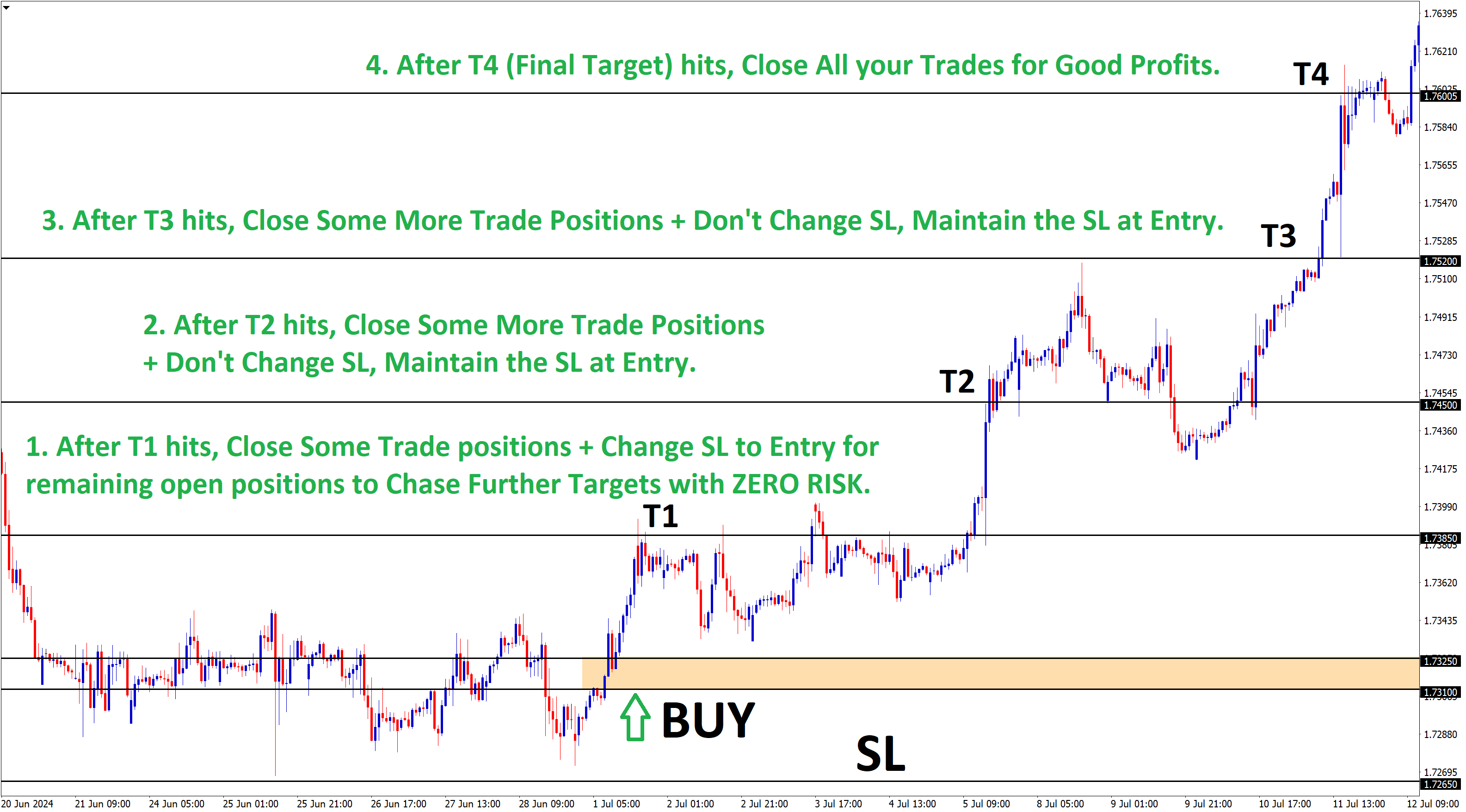
- Once the market reaches Target 1, close some part of your trade (a partial lot) to secure some profit. Then, adjust your stop loss to the entry price for safer trading.
- Reason for This Strategy:
-
- The goal is to protect your money and ensure safe trading. By moving the stop loss to the entry price, you can avoid losses and trade safely for potential big profits with ZERO RISK.
Rule 2:
1. Avoid Re-entering After Reaching Target 1

- No New Trades After Target 1:
-
- Once the market reaches Target 1, do not place a new trade on the same signal. Patience is key—wait for the next quality trade signal.
- Reason for This Rule:
-
- After hitting Target 1, your stop loss is moved to the entry price to ensure risk-free trading. Placing a new trade could expose you to unnecessary risk.
Example Scenario
- Initial Trade: Sell EUR/USD at 1.1175
- Target 1 Achieved: Market hits 1.1120, partial profit taken, and stop loss moved to 1.1175
- No Re-entry: Do not open a new trade on the same signal. Wait for the next trade opportunity.
Key Takeaway
This rule is designed to keep your trading safe and profitable by avoiding unnecessary risks after securing initial profits. Always wait for a fresh, promising trade signal.
2. Setting Stop Loss and Take profit
1) For all your trades, Stop Loss price remains the same.
2) For the Take Profits, set the following:
- TP1 (Take Profit 1) price for your first trade.
- TP2 price for your second trade.
- TP3 price for your third trade.
Consider splitting your trade into three parts, each with its own take-profit level. This way, you can secure some profit at each target.
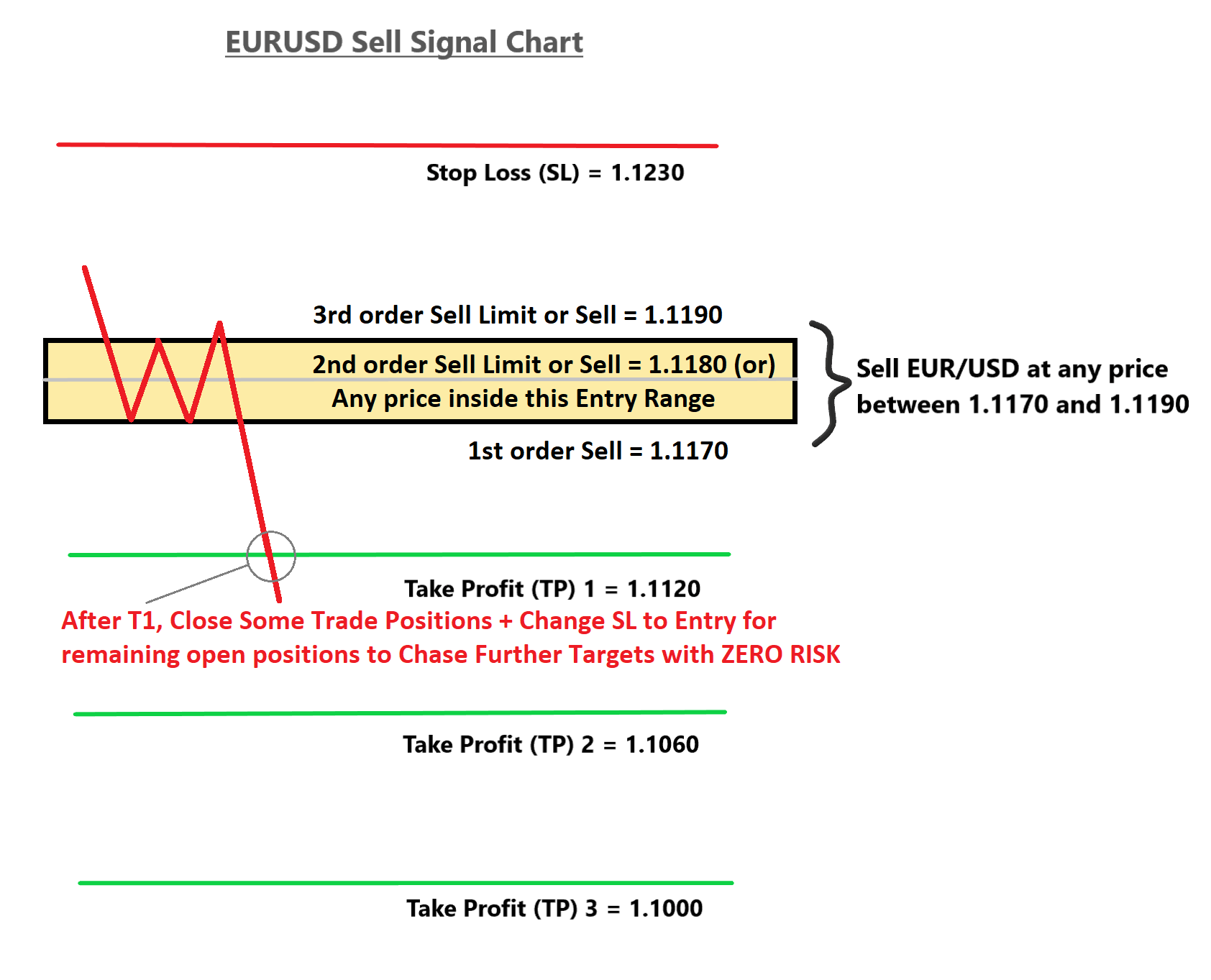
Reason: Whenever the market reaches target 1 (TP1), your first trade will close automatically at TP1. Your second and third trades will continue running with the aim of reaching TP2 and TP3.
3. Exiting the Trades at our Entry Price Range
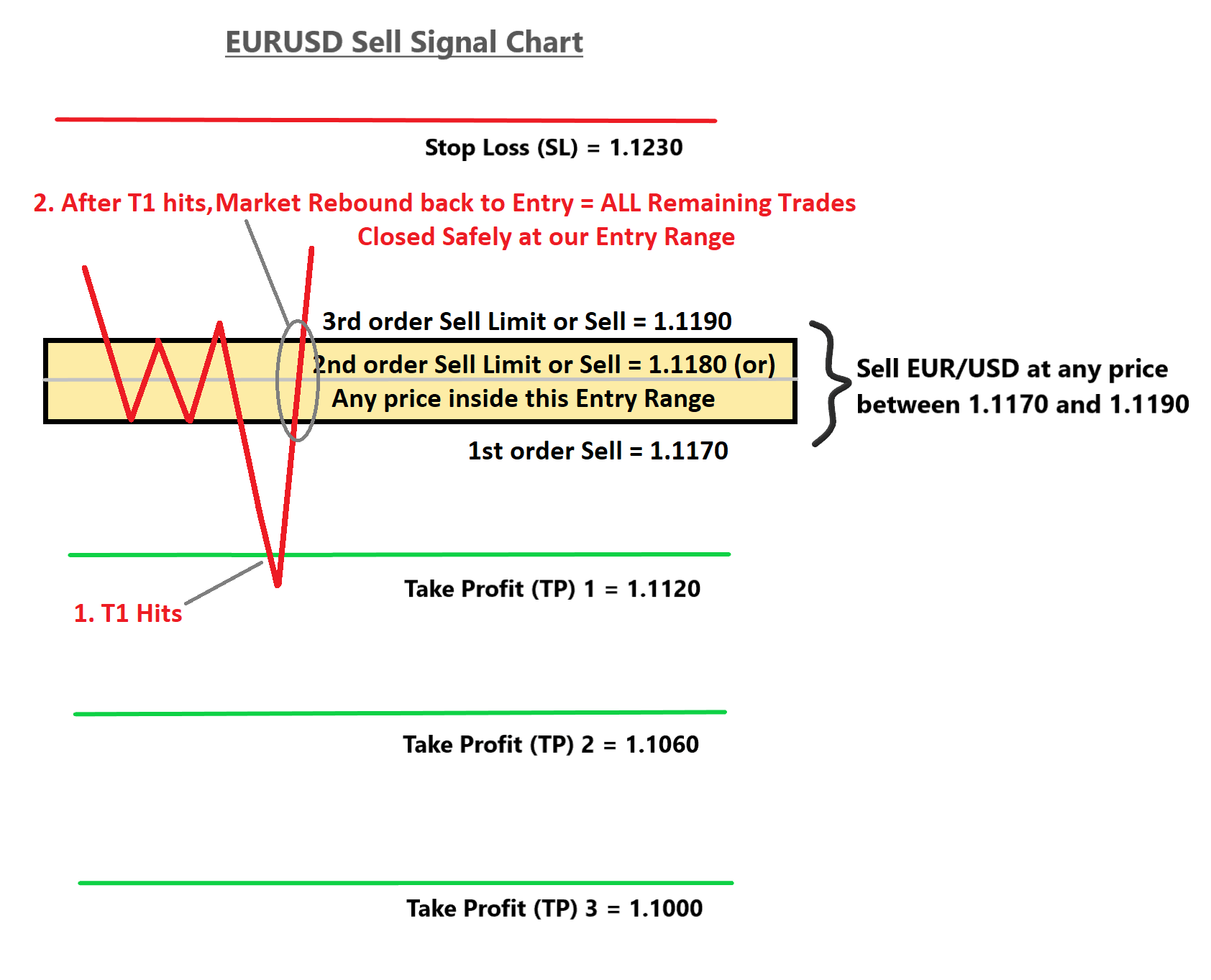
After T1 hits, if the market rebounds back again to the entry price range completely, then all your open trades will get closed at Break Even. Reason: We have already moved SL to Entry for all trades after T1 hit.
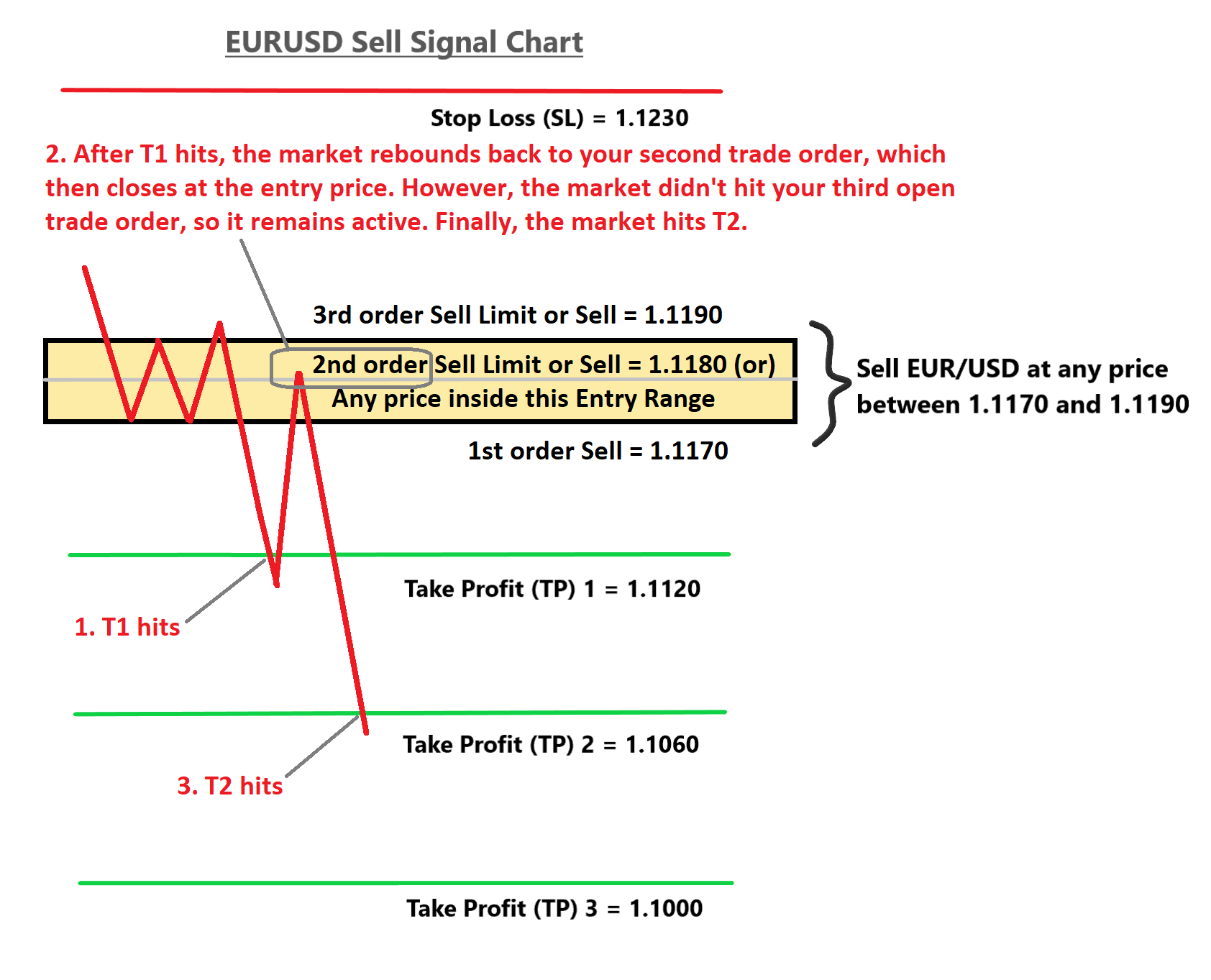
Sometimes, After T1 hits, the market rebounds back again to the entry price range. It may hit the break-even of your 2nd open trade order, but not the 3rd open trade order. Then, the market will reach Target 2, 3, etc. At this time, only your third trade order remains active because your second trade already closed at break-even.
4. What happens if you place only one trade and the market hits TP1?
After TP1 is reached, close half or a portion of your trade position to lock in profits. Next, move your Stop Loss to the entry price for chasing further profits with ZERO Risk. You can watch this short video to learn how to close a half or partial trade position: https://www.youtube.com/watch?v=1mDUejcdeoU
After TP2 is reached, close another half or a portion of your open trade to secure additional profits. The Stop Loss should remain at the entry price until the market reaches all target levels (TPs).
Once the final TP is reached, close all remaining positions completely.
5. Move Stop Loss to Entry Price Automatically Using Trailing Stop?
For temporarily moving the stop loss to the entry price automatically, while you are not online, then you can use trailing stop.
Let’s say you have placed 3 trades, setting up each trade with tp1, tp2, tp3 take profit targets. After T1 hits, your first trade will get closed automatically. However your Trade 2 and Trade 3 are still active and open. But, As per our signal rule, we recommend our users to move the stop loss to entry price after t1 hits.
Now, if you are online, you can change stop loss to entry for your trades 2 and 3. If you are not online, then you can set the trailing stop earlier for trades 2 and 3.
How many points should you keep the trailing stop?
The trailing stop points should be the distance between target 1 and the entry price. Whenever the market hits target 1, the default stop loss price for your remaining trades (trade 2 and trade 3) will be automatically moved to the entry price.
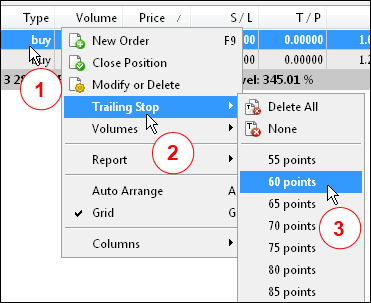
The only thing you need to do here is calculate the distance (number of points) between the entry price and the T1 price level. And type the points in the trailing stop option by these steps: Right-click on your trade order –>Trailing Stop–>Custom–>Type the Points (distance between the entry and T1). That’s it.
Now, after T1 hits, your default stop loss price will be moved automatically to the entry price. After coming back online, you can manually change the stop loss to your entry price as per our signal rule.
Reason for this strategy: We always want you to trade safely under all market conditions. Don’t lose your hard-earned money without knowing the management techniques. Trade with care!